Will you make it? See the next 12 months.
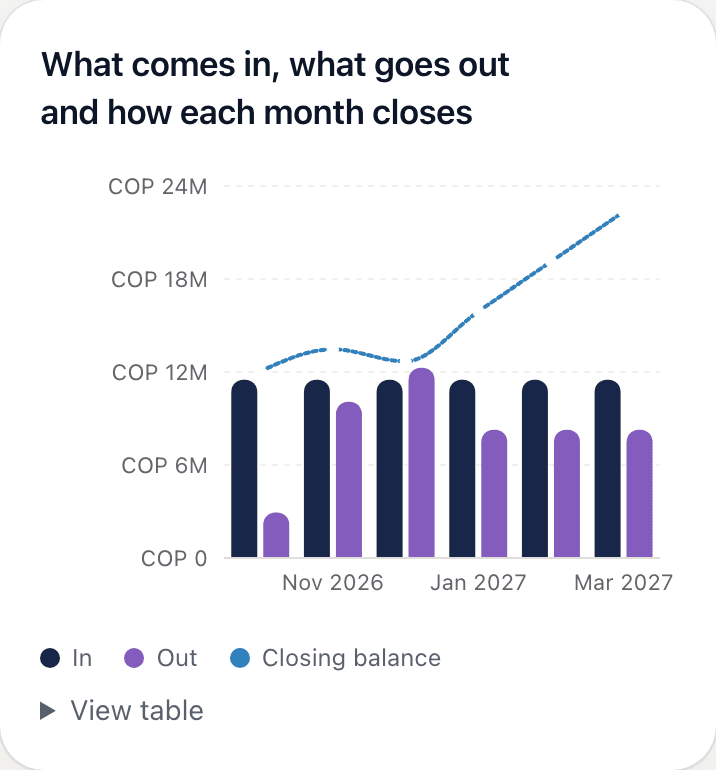
With what you have in Recurring, what comes in and your card installments, you see how each month closes. If one goes red, it tells you why and what to do: set money aside each month or move money in time.
So the end of the month doesn’t catch you off guard: what you have, what you get paid and what you pay each month, your debts and your goals, in one place. Encrypted on your phone: not even we can see it.
We open in
We open in 17 days, 22 hours and 34 minutes
34 days free, every feature included. No card required, no bank connection.
The first 500 to create an account from November 18 are founders: they get our most complete plan at a price that won't go up. See prices
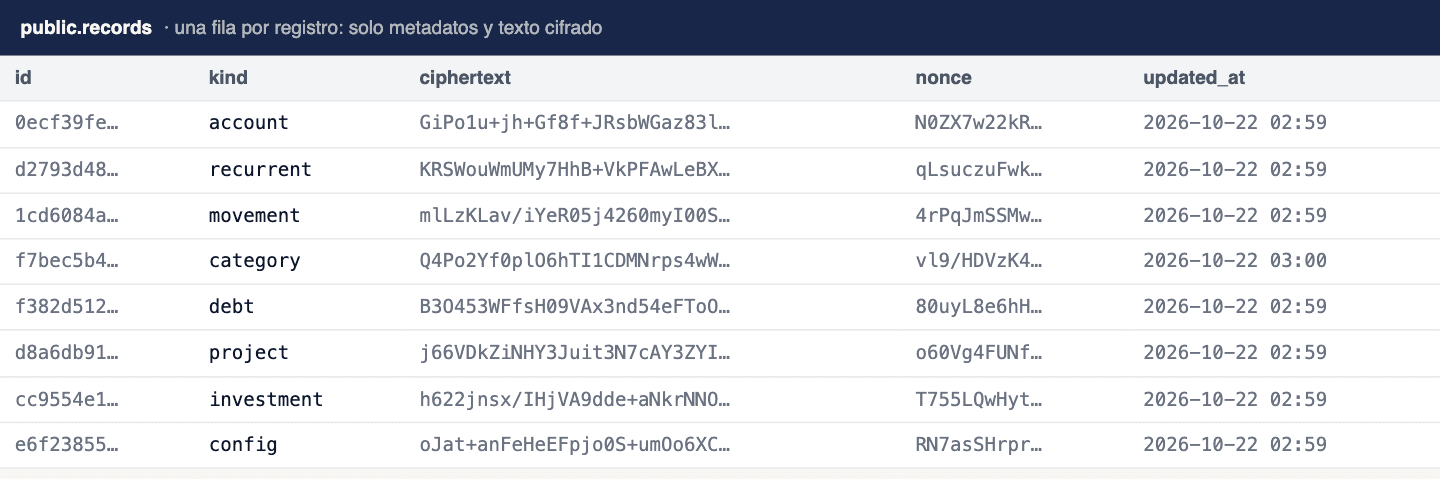
Keeping track of your money shouldn’t mean handing it over. Here everything is encrypted on your phone before it leaves. Our server stores locks, not amounts: if someone opened it tomorrow, they wouldn’t find a single name or peso.
We give you 24 words to keep on paper. With them you get everything back if you forget your encryption password.
Salary, rent, loan payments, utilities: once, with the day of the month they come in or go out. We never connect to your bank.
The app tells you how much you’ll close with and whether you’re covered. What repeats fills itself in; you log the rest: a purchase, an extra income.
Will I make it to the end of the month? How much is left on that loan? Did my net worth grow this year? datecuenta answers that from what you enter once. The screens are real; the data is made up: Ana and Luis are an example.
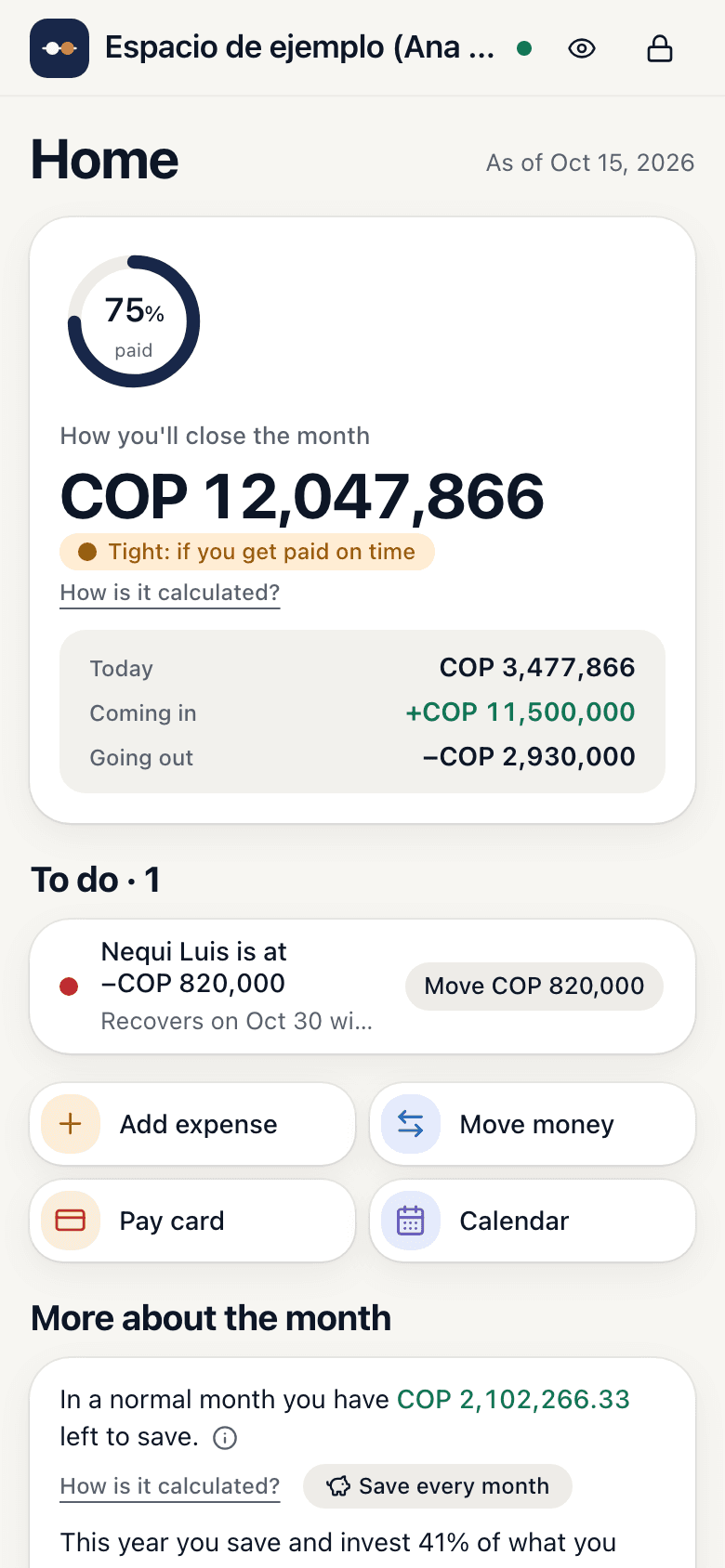
With what you have today, what's coming in and what's going out until the end of the month, you know how you'll close, whether you're covered and what's left to sort out, with a button for each to-do.
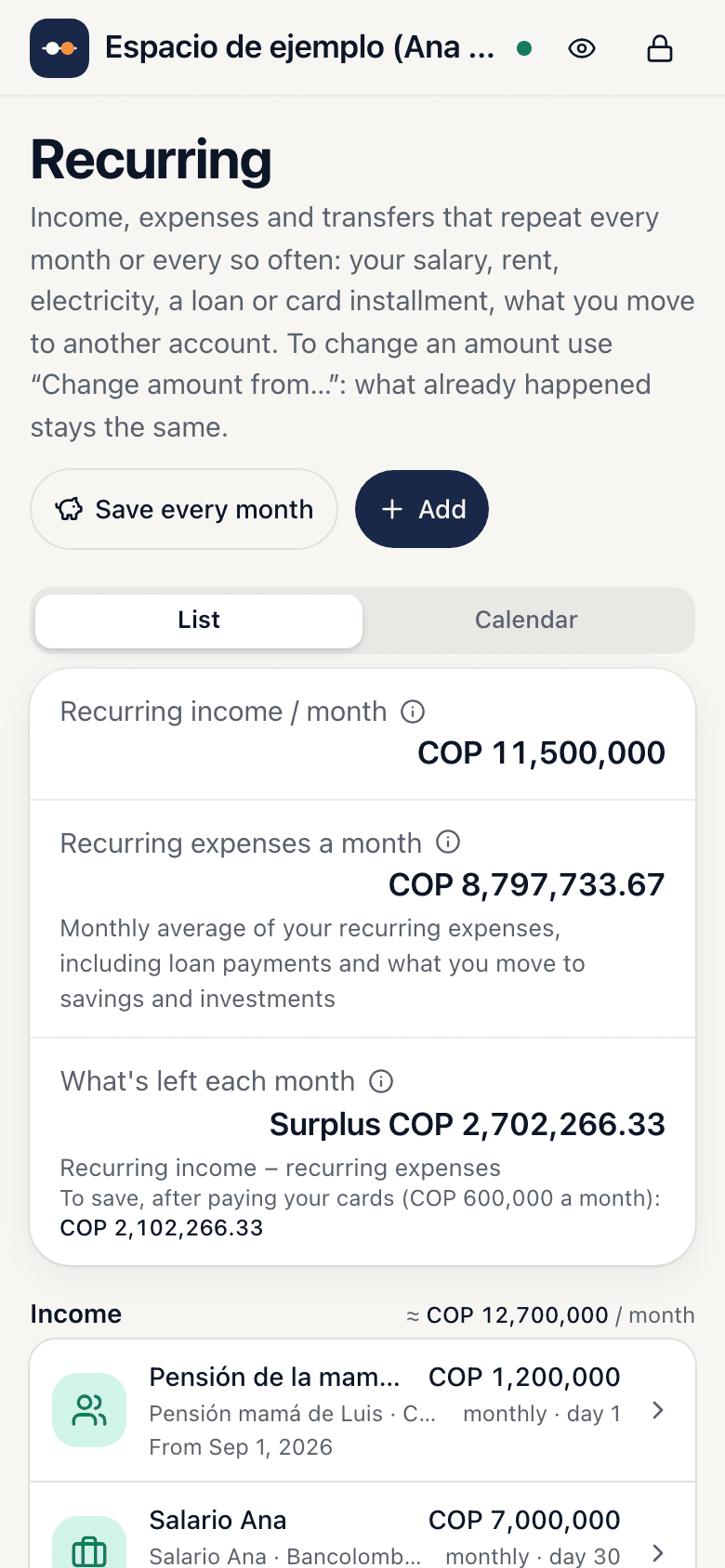
Salary, rent, utilities, installments: logged once with their day and validity. When something changes, you change the validity, not the history.
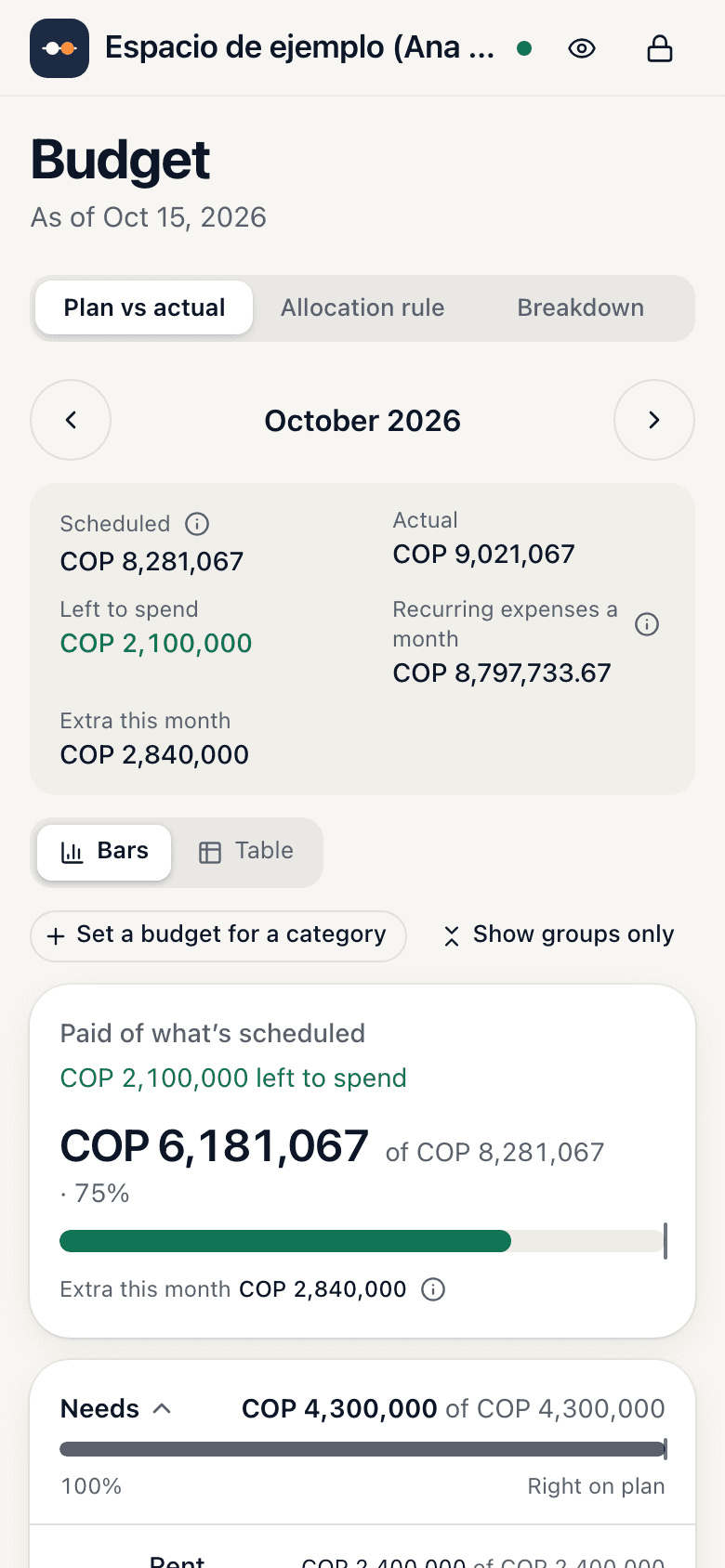
Each category with what you planned, what's scheduled this month and what really happened. Plus a rule to split your income: 50/30/20, 70/20/10 or others, depending on where you are in life.
Months of emergency fund, payments over income, the 12 months ahead with the first one that goes negative and why, and how much of what you earn you save and invest, year over year.
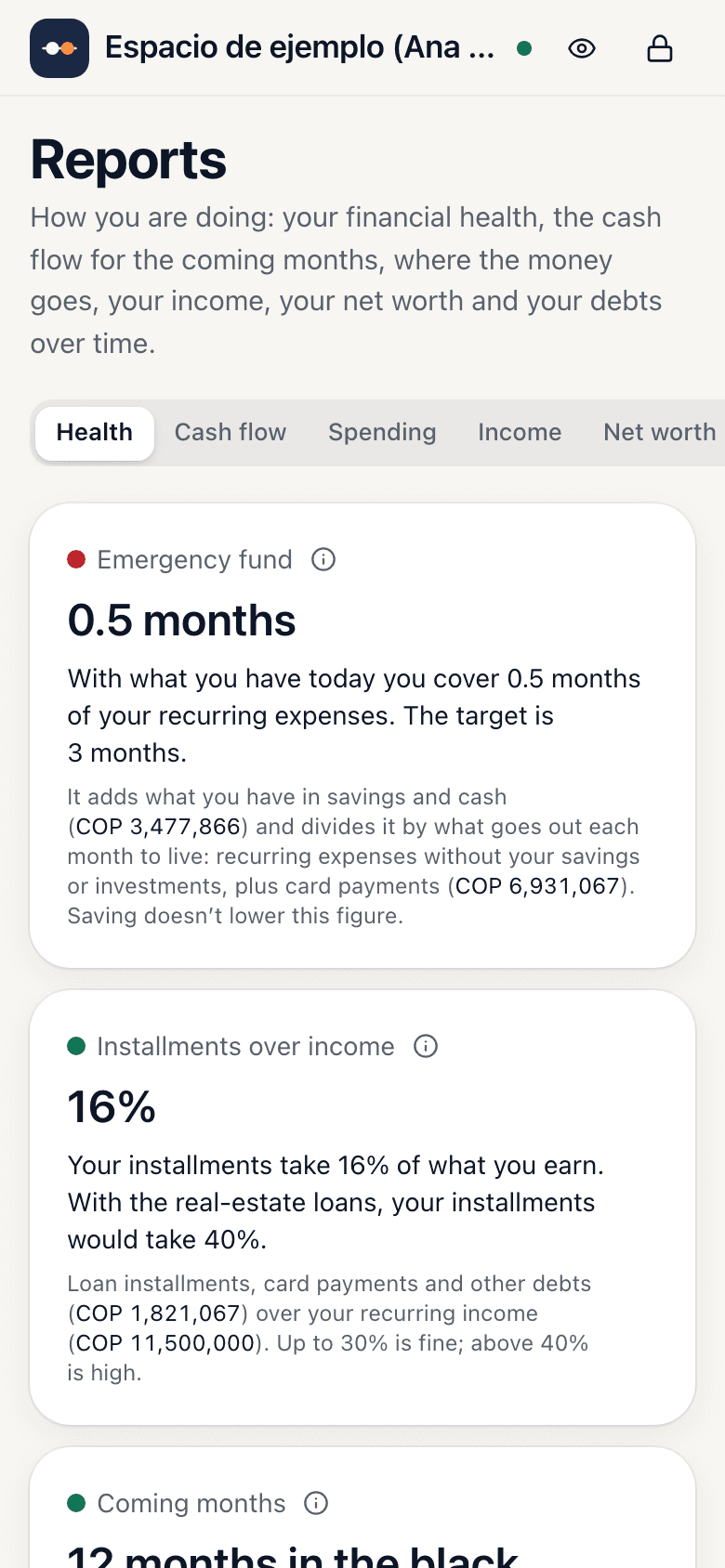
With what you have in Recurring, what comes in and your card installments, you see how each month closes. If one goes red, it tells you why and what to do: set money aside each month or move money in time.
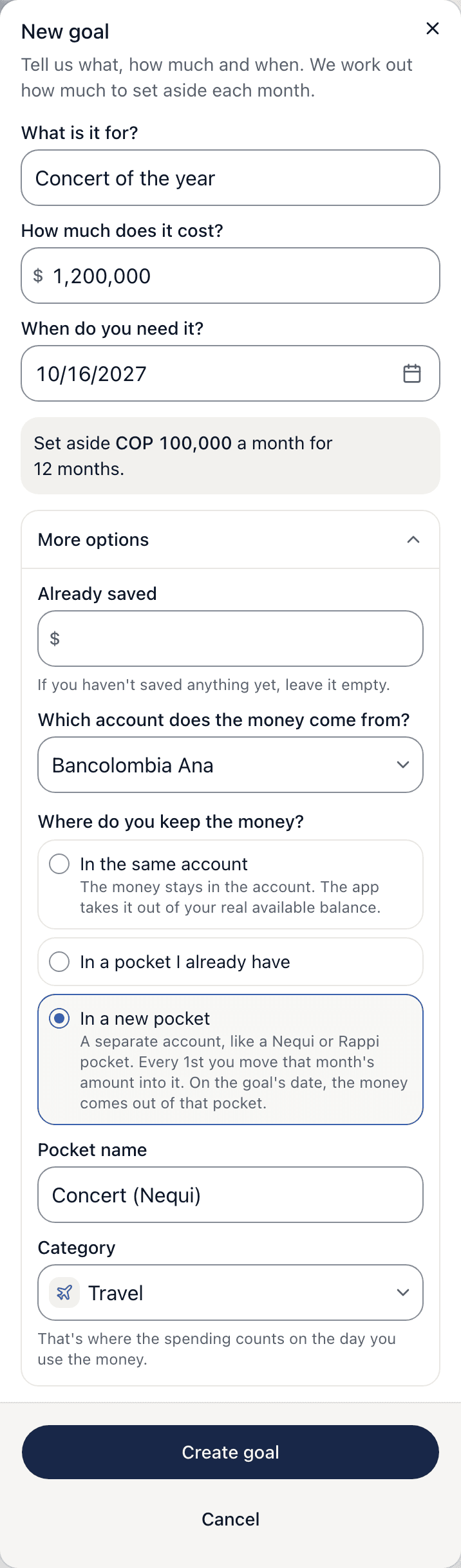
You write what it is, what the ticket costs and when. The app spreads what's left over the months to come. You keep that money in your account or move it to a separate pocket, like one in Nequi or Rappi. On the day of the concert, the money only goes out when you confirm you used it. It works the same for a trip, tuition or SOAT.
And on Home you see how much you have left to save in a normal month, so you know how far your money goes.
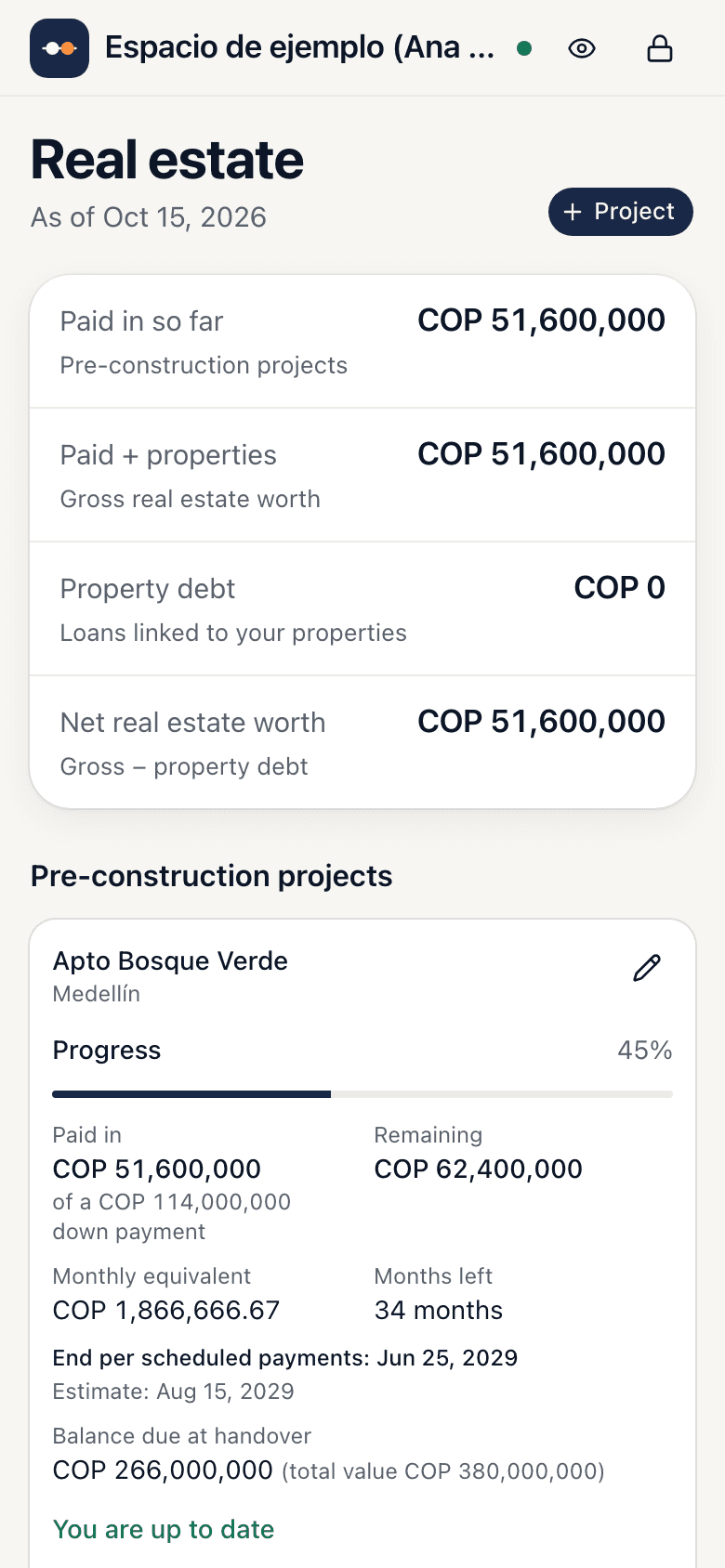
Build the installment plan month by month, mark each one as you pay it and see what’s left at handover.
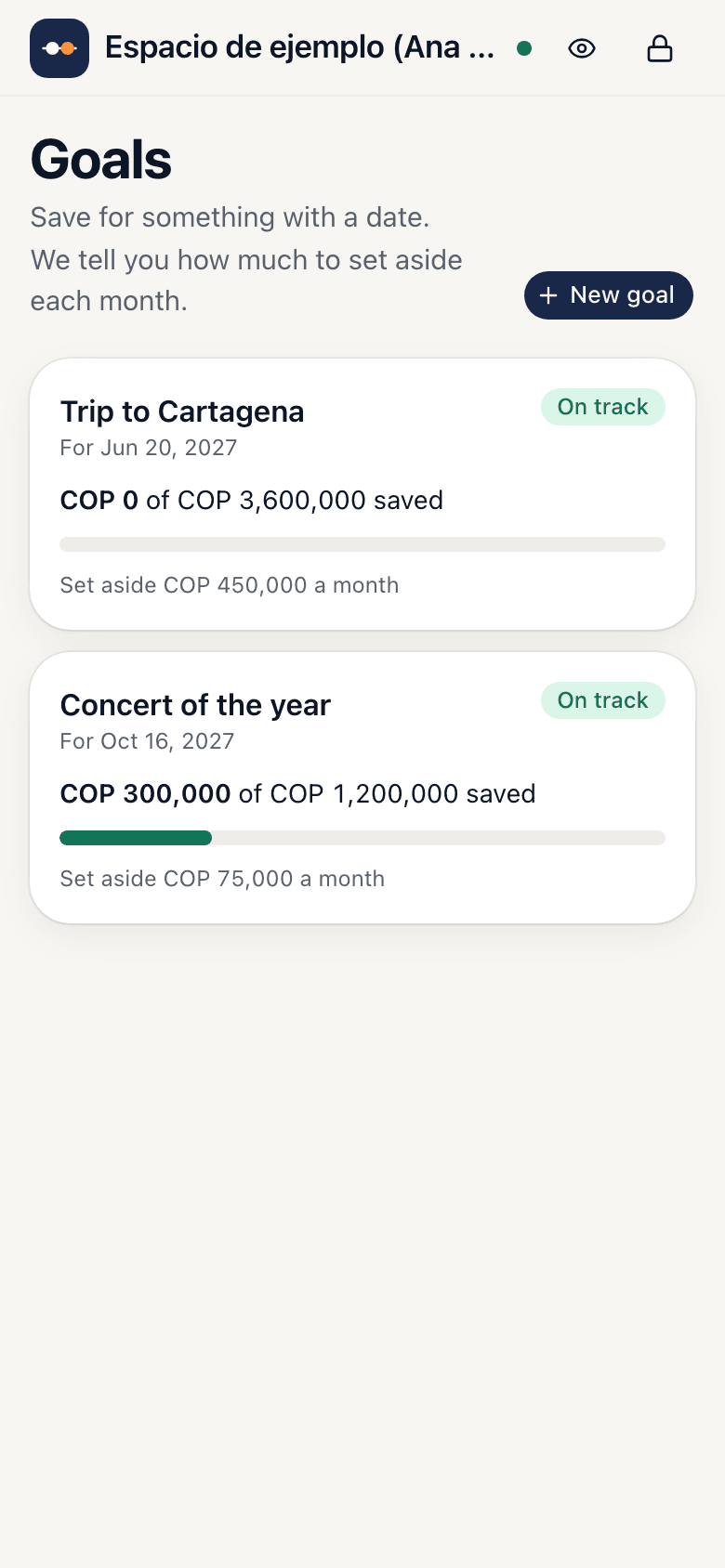
The concert, the trip or tuition: you enter what it costs and when, and you see how much you have, how much to set aside each month and whether you're on track.
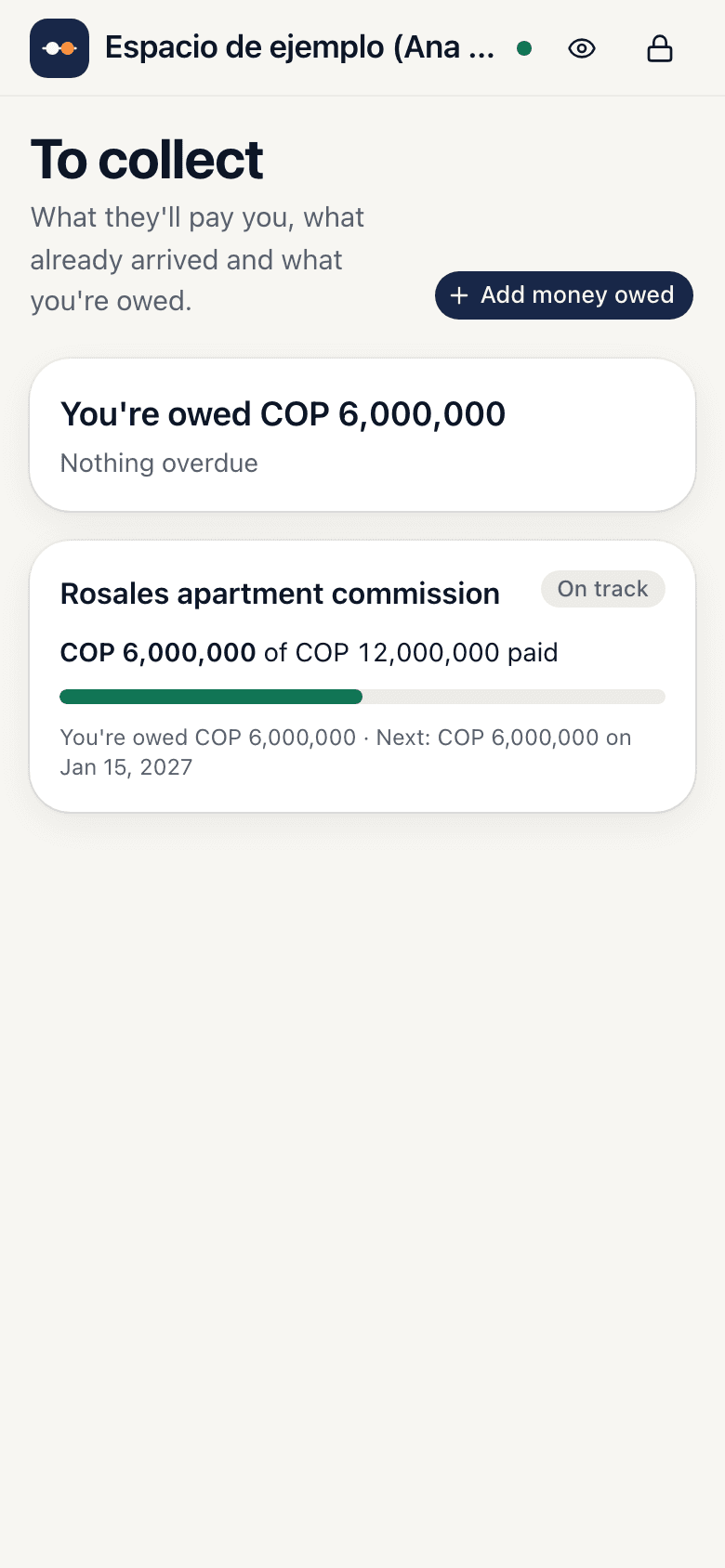
Paid on commission or is your salary late? Write down what they'll pay you, in parts if needed, and see what already arrived and what you're owed. It doesn't count in your balance until you confirm you got paid.
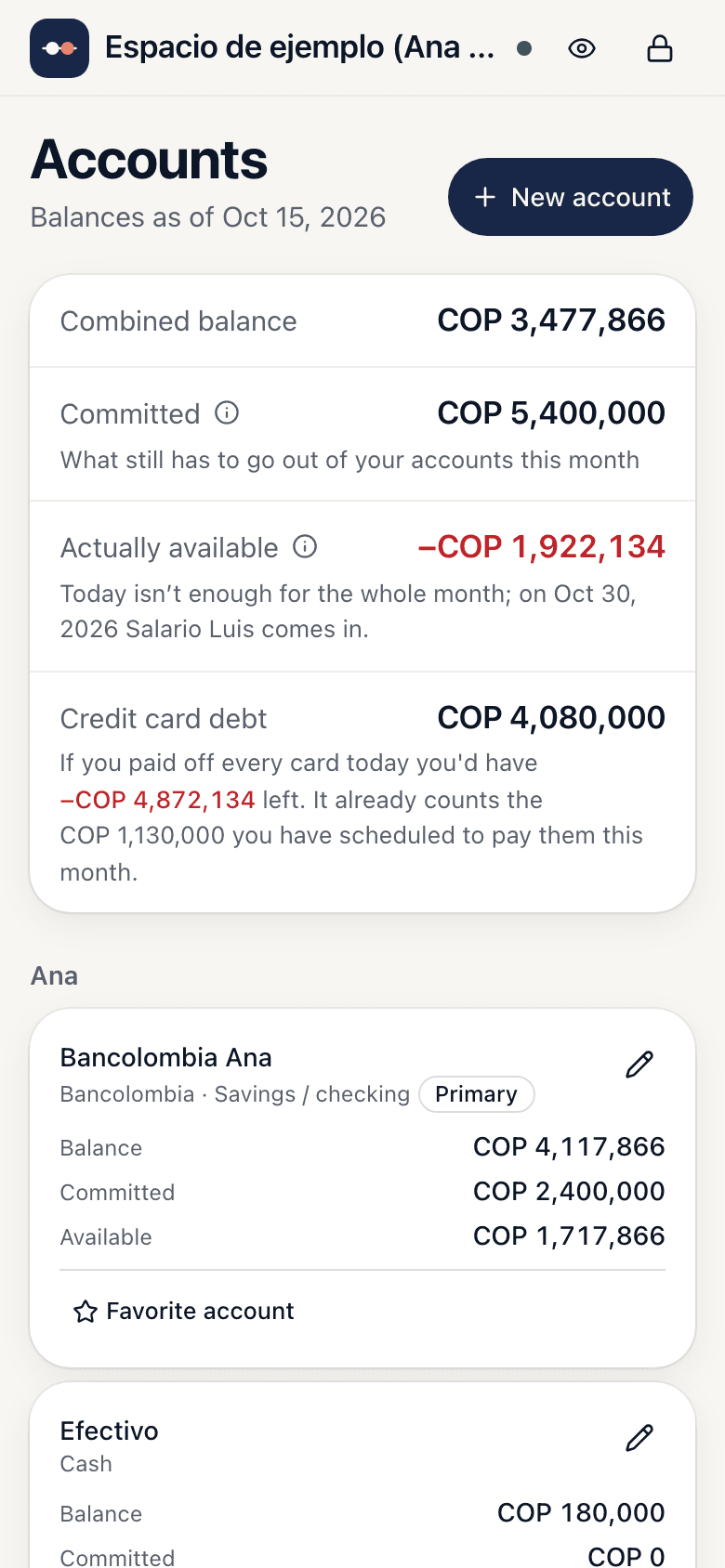
The balance of each account, what is already committed this month and what you can really spend.
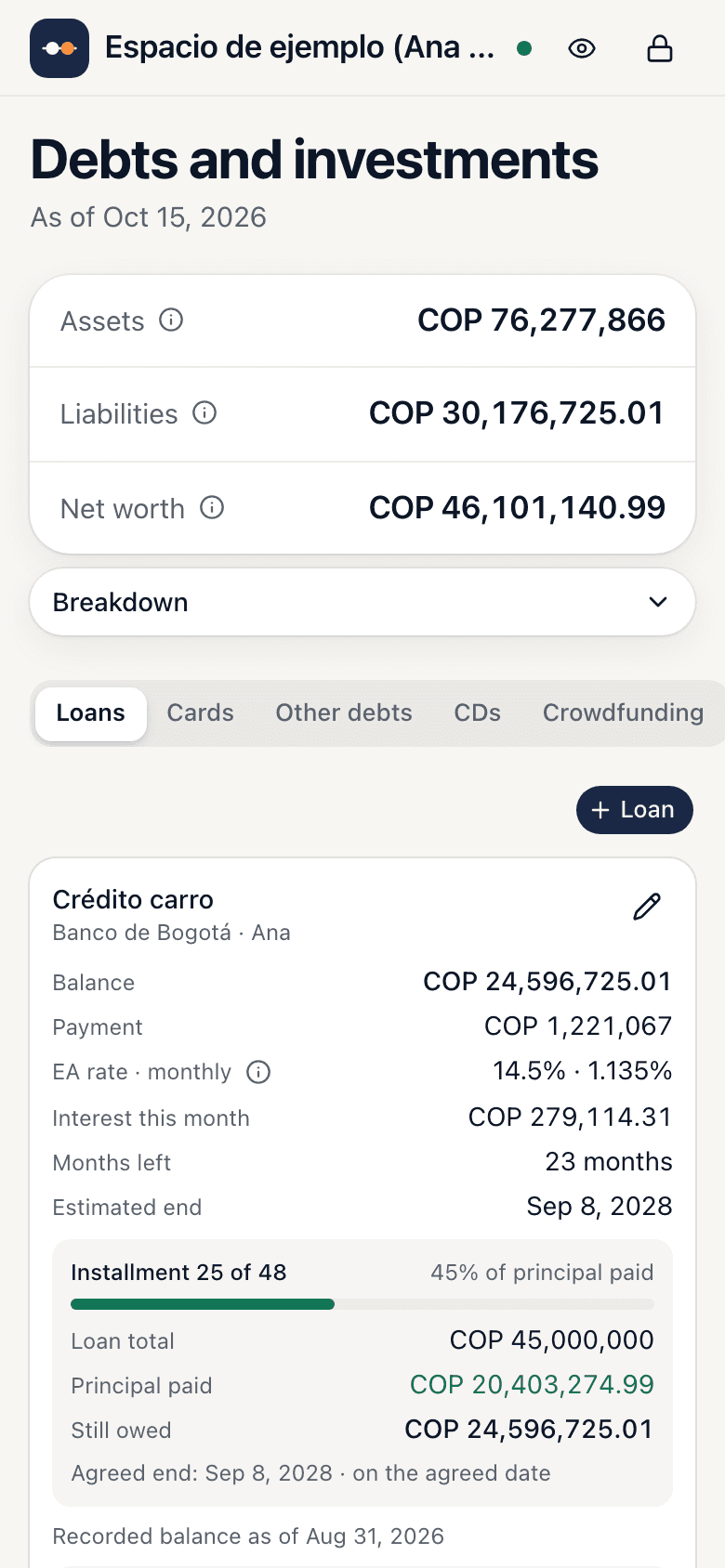
Amortized balance of each loan, this month's interest, card installments and when you finish paying it off.
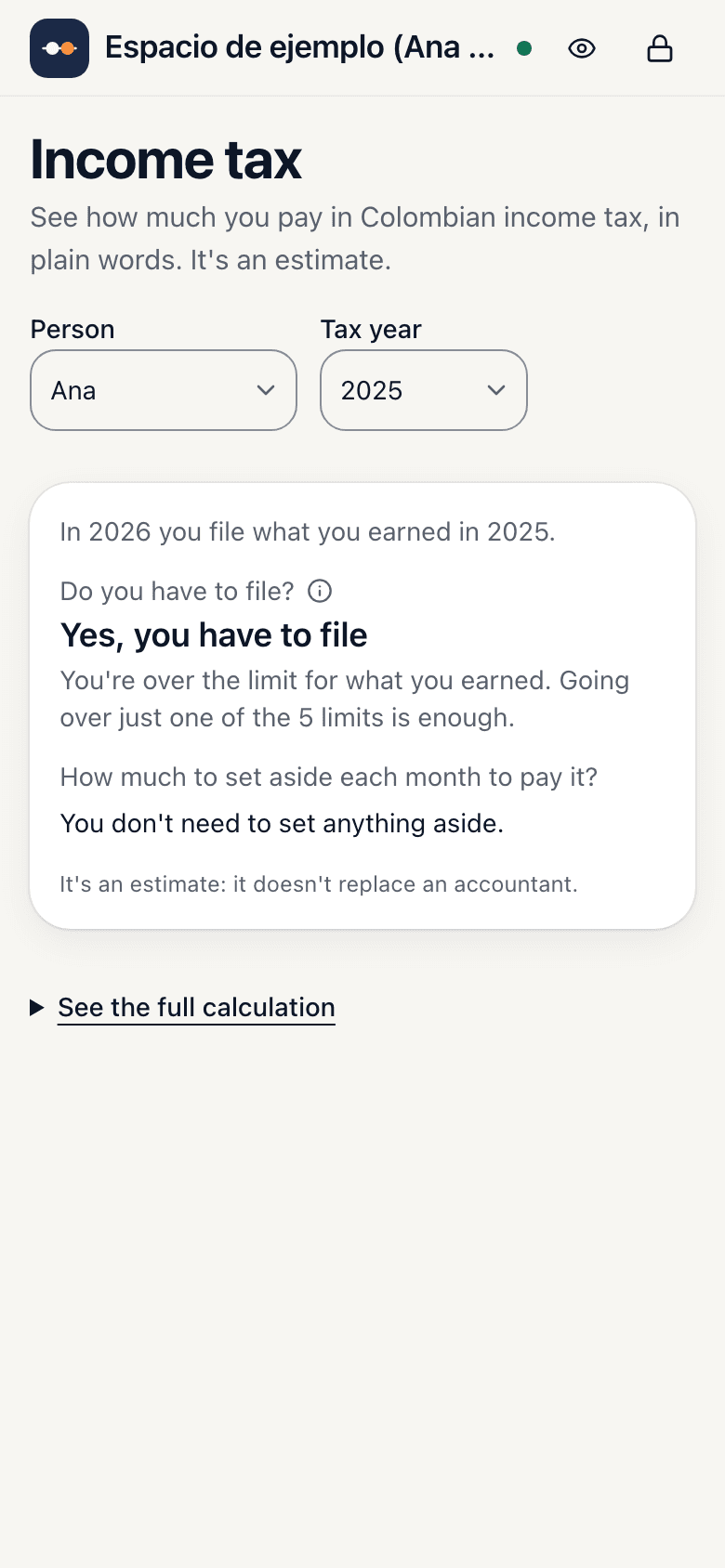
Whether you must file and how much to set aside each month, in plain words. It's an estimate: not a substitute for your accountant.
Use it on your own or as a couple: each person signs in with their own email and everyone sees the same numbers. To share it you need Plus, for you and your partner, or Family, for up to 6 people plus your accountant, who can look without changing anything. You can try it free for the first 34 days.
datecuenta started with a question a spreadsheet could no longer answer: how am I really doing? The household accounts, the projects and the debts kept growing in it every month, and the answer always stayed buried under formulas.
Hence the name: datecuenta means “realize”. See where your money goes, what's working for you to make it to month end, and how your financial health is doing, on one screen and without formulas. It's made by Datecuenta S.A.S., in Colombia.
Write to us at admin@datecuenta.app.
You start with 34 days free, with every feature and no card required. After that, the day to day stays free; if you want more, you move to Plus or Family.
For the day to day, at no cost
COP 12,900 a month or COP 99,900 a year
COP 16,900 a month or COP 129,900 a year. Founders can also pay COP 299,900 for life.
Family, per year, for the first 500. It won't go up while you stay subscribed.
Plus: your founder medal with your number, and you suggest and vote on what we build first.
We open on November 18. Join the list and we'll tell you before anyone else.
Prices are in Colombian pesos and include VAT. We start charging on February 1, 2027. More details in “How much does it cost?”
The first 34 days are free and you get everything, no card required.
After that, the day to day stays free: logging, seeing how you close this month and last month, your cards, your debts and your income tax estimate.
Plus: COP 12,900 a month or COP 99,900 a year. See your whole history and Reports. It's for you and your partner: up to 2 people in one space.
Family: COP 16,900 a month, COP 129,900 a year or COP 299,900 for life (founders only). Up to 6 people and several spaces, each with its own accounts. Each space can have up to 2 readers, like your accountant or advisor: they see everything without changing anything and don't count toward the 6 people.
Prices include VAT. We start charging on February 1, 2027.
You are a founder if you are one of the first 500 to join datecuenta from November 18, until December 20, 2026, whichever comes first. The waitlist tells you before anyone else, but it doesn't hold a spot.
As a founder you get Family at a price that won't go up while you stay subscribed, based on your number: 1 to 100, COP 49,900 a year; 101 to 200, COP 59,900; 201 to 300, COP 69,900; 301 to 500, COP 79,900.
You also get your founder medal with your number, and you can suggest features and vote on what we build first.
You pay from February 1, 2027. To stay a founder, pay that first charge; if you don't, you lose the founder price.
If you don't pay, we don't delete your data.
No. We don't ask for bank passwords or read your statements. You type your accounts and whatever repeats, once, and the app does the rest.
When you start we give you 24 words to keep on paper. They get everything back. Without the password and without the words, no one can open your data, not even us. That's the price of no one else seeing it.
Yes. Plus is for you and your partner. Family is for up to 6 people, and your accountant can look without changing anything. Each person signs in with their own email and everyone sees the same numbers. You can mark who owns each account. You can try it free for the first 34 days.
Accounts, payments, debts and budget work anywhere, in pesos. The income tax estimate is for Colombia only.
It's a web app built for the phone: open it in the browser and add it to your home screen. No stores, no updates.
34 days free, with every feature and no card required. After that, the day to day stays free. No bank connection.